


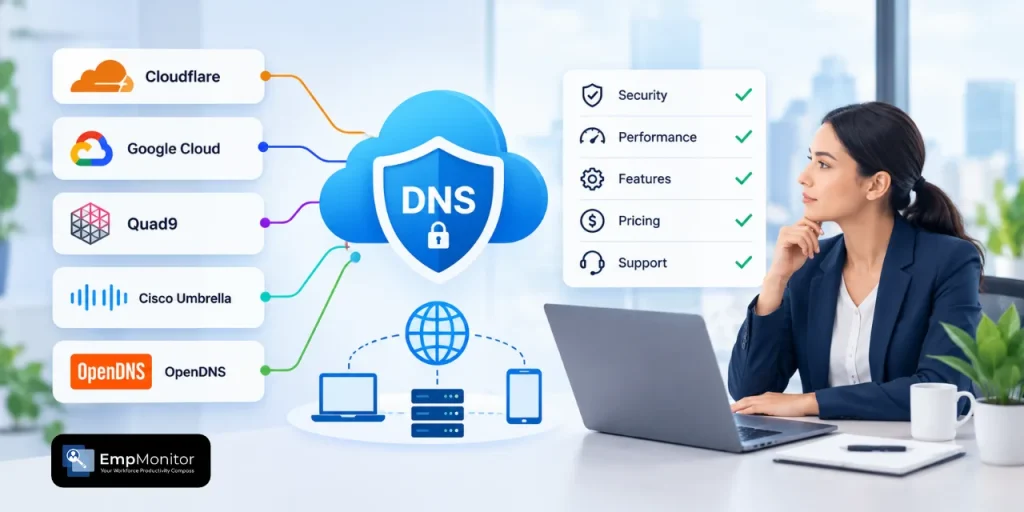
While traditional DNS simply translates your domain name into an IP address for computers to use, private DNS takes it a step further by adding a layer of security and privacy.
It encrypts your DNS requests using protocols like DNS-over-HTTPS (DoH) or DNS-over-TLS (DoT). This means your queries travel through a secure, encrypted tunnel instead of being broadcast in plain text, keeping them hidden from your ISP, network snoopers, or attackers.
For businesses, private DNS can also play a role in controlling employee internet access and improving visibility into network activity. When combined with broader employee monitoring and security practices, DNS controls can help organizations manage access to potentially risky websites and protect company resources.
Most providers now offer encryption as standard, so the differences that matter are elsewhere: what gets logged, how many devices you can cover, and whether you hit a cap.
Below, we’ve reviewed and compared the 3 best private DNS providers to help businesses choose the right one for network security and access control.
| DNS Provider | Features | Encryption Protocols | Privacy Specifics | Pricing |
| 1. Control D |
|
DoH, DoH3, DoT, DoQ | No logs on free resolvers, retention configurable on paid |
|
| 2. CleanBrowsing |
|
DoH, DoT, and DNSCrypt | Configurable, no-log through 90-day retention |
|
| 3. AdGuard DNS |
|
DoH and DoT | Configurable |
|
How to Choose the Best Private DNS Provider?
With so many private DNS providers in the market, there are several criteria you need to keep in mind when selecting your best.
- Encryption protocol support: Which protocols the resolver speaks, and whether that includes the newer ones.
- Logging and retention: What the provider stores, for how long, and whether you can turn it off.
- Content filtering depth: How many categories, and how granular the blocking gets.
- Customization and control: Custom allow and block rules, and whether policies can differ per device or group.
- Device and query limits: Whether the plan caps how much you can actually use it.
- Analytics and visibility: What you can see about network activity, and how far back.
- Traffic routing options: Whether the provider can route traffic through other locations, not just filter it.
For organizations managing remote or distributed teams, network visibility can be especially useful when combined with employee monitoring and productivity tools that provide a broader view of workplace activity.
Now let’s take a closer look at the top DNS server picks that stand out for meeting the criteria above.
Top 3 Private DNS Providers: 2026 Overview
1. Control D

Control D is a customisable DNS filtering service designed to provide everyone from individual users to large businesses with online safety, privacy, and control solutions.
Control D offers a wide range of core features that make it one of the best private DNS provider options, such as:
- Modern Protocols: Control D supports modern encryption protocols, including DNS over HTTPS (DoH), DNS over TLS (DoT), DNS over QUIC (DoQ), and DNS over HTTP/3 (DoH3). DoQ and DoH3 are the newer of the four and cut latency on unstable connections, which most DNS providers still don’t support
- Logging and Retention: Control D’s free resolvers don’t log queries at all, and on paid plans you control how long data is kept (up to 1 month for logs and 1 year for aggregated analytics) or whether it’s kept at all
- Content Filtering: This feature lets you block access to 20+ categories of unwanted content, including adult material, gaming sites, and malicious domains, keeping your network safer and more controlled
- Custom Filtering: Here, Control D lets you set custom filtering rules to allow or block certain domain categories based on your or your team’s specific online preferences, as well as block over 1,000+ individual Services (apps/tools)
- Device and Query Limits: There are no caps on devices or monthly queries on any plan
- Reports and Analytics: You get detailed reports and analytics on your network activity and DNS requests in real-time, along with admin logs that track administrative actions for transparency and visibility
- Traffic Routing Options: Beyond filtering, Control D can route traffic through other locations, which lets you spoof your IP address without a separate VPN
Why choose Control D
Control D goes beyond simple malware filtering by giving you real control over your network’s privacy and security through encryption protocols, custom allow/block rules, and real-time analytics. It is also easy and fast to set up, with no account needed for the free preset protection levels and a 14-day trial on paid plans that doesn’t require a card.
Best for
Individual users, SMBs, Startups, Enterprises, Schools, ISPs, Public Wi-Fi operators, MSPs, non-profits.
2. CleanBrowsing

CleanBrowsing is a reliable DNS content filtering service provider that is especially focused on providing a safe online experience for schools, homes, and businesses.
It is easy to set up, and all you need to do is choose you preferred plan and connect CleanBrowsing to your router or device.
CleanBrowsing’s key features that offer a comprehensive private DNS experience are:
- Advanced encryption: CleanBrowsing supports modern encryption protocols like DoH, DoT, and DNSCrypt, intended for a safer browsing experience
- Predefined filters: Here, you can apply 19+ filters for blocking harmful content
- Custom allow/block rules: Allow or block certain domain lists based on your browsing preferences
-
- Device and query limits: Each plan is capped. The Basic plan covers 25 devices or 3.75M requests a month, Pro 50 covers 50 devices, and Pro 100 covers 100
- Activity monitoring: CleanBrowsing gives you a monitoring dashboard to review your browsing activity
- Traffic routing options: CleanBrowsing filters DNS but doesn’t offer traffic redirection
Why choose CleanBrowsing
For parents and educational institutions especially, CleanBrowsing is a go-to solution for providing a safer and controlled online experience.
Best for
Schools, Families, Businesses
3. AdGuard DNS

AdGuard DNS is a DNS server focused primarily on ad and tracker blocking, along with malware prevention. It works on a simple principle: every website URL you visit is checked against its database, and access is blocked if the site is associated with advertising, tracking, or phishing.
The key features making AdGuard DNS a solid private DNS solution are:
- Encryption protocols: AdGuard DNS supports modern DNS protocols such as DoH and DoT.
-
- Logging and retention: Query logging is configurable, with the retention period set in your dashboard
- Ad blocking: AdGuard DNS blocks ads and trackers through its default filters and also gives you flexibility to block domains manually
- Custom filtering: This feature allows you to connect your device to AdGuard’s private DNS server and to allow/block specific domains
-
- Device and query limits: Paid plans cap monthly requests and connected devices, with the ceiling rising by tier
- Statistics: And here you can track real-time DNS stats for every device to see which sites they tried to reach, what got blocked and when, and adjust filtering with views by date, country, device, or a bird’s-eye overview.
Why choose AdGuard DNS
If your goal is ad or tracker blocking specifically, AdGuard DNS is a dedicated solution for this purpose.
Best for
Individual users, families, small teams, and large enterprises.
Closing Lines
Private DNS puts control back in your hands over what you see, what gets blocked, and who has access to your browsing activity.
For businesses that also need visibility into employee activity, solutions such as EmpMonitor can complement network-level controls by providing insights into application, website, and overall workplace activity.
If your priority is filtering for a school or library and you know your device count, CleanBrowsing’s tiers are priced for exactly that. If you only want ads and trackers gone on a handful of personal devices, AdGuard DNS Personal does it for $2.49/month.
If you want the best of all with encrypted DNS without a device cap, granular content filtering, and the option to start free and add per-device policies later, Control D covers the widest range of the three.
For businesses, DNS filtering is only one layer of a broader security and workforce management strategy. Combining network-level controls with employee activity and productivity visibility can help organizations better understand how company systems are being used while maintaining appropriate security controls.