


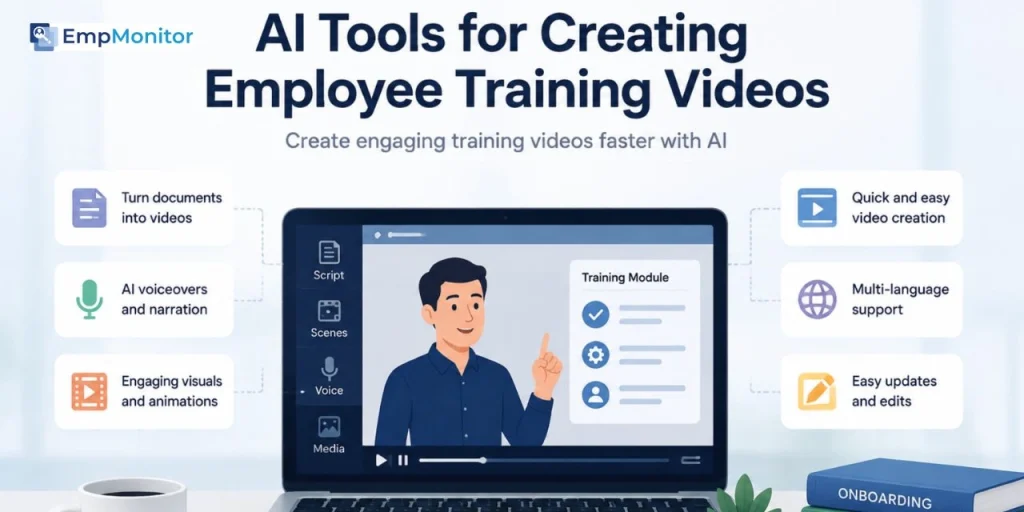
Employee training has always been an important part of building successful teams. Whether it is onboarding new employees, explaining internal processes, teaching software workflows, or sharing company knowledge, training content helps employees become productive faster.
However, creating effective training videos has traditionally required significant time and resources. Companies often need subject matter experts, video teams, presenters, editors, and dedicated production processes to create learning materials.
As workplaces become more distributed and teams continue to scale, businesses need a faster way to create and update training content. A single onboarding video may need multiple versions for different departments, regions, or roles.
AI video tools are changing how companies approach employee training. They help organizations transform documents, scripts, presentations, and internal knowledge into engaging video content without requiring a full production setup.
From onboarding videos and workplace tutorials to product training and internal communication, AI-powered video workflows allow companies to create more scalable learning experiences.
Why Companies Are Using AI for Employee Training Videos
Training videos are one of the most effective ways to deliver information because they combine visuals, audio, and demonstrations. Employees can understand complex processes more easily when they can see how something works rather than only reading instructions.
However, traditional training videos can become difficult to maintain. Company policies change, software updates happen, and new processes are introduced regularly.
AI tools help companies create and update training materials more efficiently. Teams can quickly modify scripts, generate new versions, and create videos for different audiences without restarting the entire production process.
For businesses with remote or global teams, this flexibility makes employee training more consistent and accessible.
What Makes a Good AI Training Video Tool?
The right AI video tool for employee training should do more than generate visuals. Businesses need tools that can support the complete learning content workflow.
Important capabilities include:
- Turning documents and scripts into videos
- Creating clear visual explanations
- Supporting voiceovers and narration
- Maintaining brand and content consistency
- Making updates easier when information changes
For example, a company onboarding new employees may need videos explaining company culture, tools, workflows, and team processes. The best AI agents tools help create these resources quickly while keeping the learning experience professional.
1. Invideo Agent
Invideo Agent helps companies create structured video content by connecting different stages of production, from ideas and scripts to visual development and final editing. Instead of treating every video as a separate task, it supports a more connected workflow where creative decisions can remain consistent throughout the process.
For employee training, this approach can help teams transform internal documents, guides, and educational material into engaging videos. HR teams can create onboarding resources, while other departments can develop product tutorials, process explanations, and internal knowledge-sharing content.
For example, a company onboarding new employees across different regions may need multiple training videos that follow the same communication style and structure. A connected workflow helps teams maintain consistency across these learning materials.
With invideo Agent Two, larger organizations can manage more complex training content workflows involving visual planning, storytelling, and editing, helping teams create scalable learning resources across departments.
2. Synthesia
Synthesia is an AI video platform focused on creating videos with digital avatars and AI presenters. It is widely used by businesses for corporate communication, employee learning, and professional training content.
For employee training videos, Synthesia helps organizations create presenter-style lessons without requiring employees, trainers, or subject experts to record every session. Companies can create onboarding videos, compliance lessons, workplace tutorials, and internal announcements using AI-generated presenters.
It is especially useful for organizations that frequently update training materials because teams can modify scripts and create revised versions without arranging new filming sessions.
Scripts that go through several AI revisions can drift into flat, generic phrasing, so passing the final version through an AI detector before recording shows which lines still need a human rewrite.
For global companies, Synthesia’s multilingual capabilities can also help create training videos for employees in different regions while maintaining a consistent presentation style.
3. Canva AI
Canva AI combines design tools with AI-powered content creation features, helping businesses create presentations, graphics, and simple video content.
For employee training, Canva AI can help teams convert existing learning materials into more engaging visual formats. HR teams can transform company guidelines, onboarding documents, and internal presentations into videos with animations, graphics, and visual explanations.
It is particularly useful for smaller organizations that may not have dedicated video production teams but still need professional-looking internal content.
Companies can use Canva AI to create training resources such as workplace introductions, process walkthroughs, and educational videos that match their existing brand style.
4. HeyGen
HeyGen is an AI video platform that focuses on avatar-based video creation, AI voices, and multilingual video generation. It is commonly used by businesses for communication, marketing, and training purposes.
For employee learning, HeyGen allows companies to create instructional videos with digital presenters without needing traditional camera setups. This can be helpful for organizations that want consistent trainer-style content across multiple courses.
Companies can use HeyGen for onboarding sessions, product training, customer support education, and internal announcements. Its translation capabilities also make it useful for businesses with distributed teams that need training content adapted for different languages.
For organizations producing frequent training videos, AI avatars can help maintain a consistent presentation style across different learning modules.
5. Runway
Runway is an AI video creation and editing platform that provides tools for generating and modifying visual content. It is often used by creative teams for video experimentation, editing, and visual development.
For employee training, Runway can help companies create more visually engaging learning materials by adding generated visuals, animations, and supporting video elements.
It can be useful for training topics where visual explanation is important, such as product demonstrations, technical processes, safety instructions, or workplace simulations.
For example, a company explaining a complex workflow can use AI-generated visuals to simplify concepts and make training sessions easier for employees to understand.
Runway works best for teams looking to create visually rich training content rather than simple presentation-based videos.
6. Pika
Pika is an AI video generation tool designed for creating short video clips from text and image inputs. It helps creators add motion and visual effects to static ideas.
For employee training content, Pika can support companies by creating short explanatory clips, animated examples, and visual demonstrations that make learning materials more engaging.
It can be useful for internal communication videos, quick process explanations, and educational content where simple visual storytelling improves understanding.
For example, a company introducing a new workplace process can create short animated sequences to demonstrate steps more clearly.
While Pika is effective for creating creative video elements, companies creating complete training libraries may need to combine it with other tools for scripting, organization, and full video production workflows.
Read More!
A Productivity Monitoring Case Study for Education & Training Organizations
How AI Helps Companies Create Better Onboarding Videos
Employee onboarding is one area where AI video models can have a significant impact.
New employees often need to understand company policies, software systems, workflows, and team structures during their first few weeks. Video-based onboarding can make this information easier to consume.
AI allows companies to create onboarding videos faster and keep them updated as information changes.
For example, a company introducing a new internal platform can quickly create training videos explaining features, workflows, and best practices without organizing a full recording session.
Creating Product Training Videos With AI
Training is not limited to employees joining the company. Many businesses also need internal product training for sales teams, customer support teams, and marketing departments.
AI video models can help transform product documentation, feature explanations, and guides into visual learning content.
A software company, for example, can create tutorials showing how different features work. A retail company can develop training videos explaining products and customer interactions.
These videos help teams understand products better and communicate value more effectively.
Making Training Content More Scalable
One of the biggest advantages of AI video creation is scalability.
Large organizations often need training videos for different teams, locations, and languages. Creating each version manually can require significant time.
AI tools help companies adapt training content faster by allowing teams to create variations from the same source material.
This makes it easier to maintain consistent training standards across an organization.
Maintaining Consistency Across Training Videos
As companies create more learning content, maintaining consistency becomes important.
Training videos should follow the same brand style, tone, and communication approach. Employees should feel that every learning resource comes from the same organization.
AI workflows help teams maintain consistency by using reusable templates, references, and structured content processes.
To maintain quality across training materials, it is also advisable to use AI detection tools, such as an AI video checker, to check whether videos may contain AI-generated or manipulated content before sharing them with employees.
This is especially valuable for companies creating large libraries of training materials over time.
Choosing the Right AI Tool for Employee Training Videos
The best AI training video tool depends on the company’s goals.
Organizations creating presenter-led training may prefer avatar-based platforms, while teams creating product demonstrations may need stronger visual generation and editing capabilities.
Companies should consider:
- Type of training content
- Frequency of updates
- Team size
- Required customization
- Level of visual quality needed
The right tool should make training creation easier while helping employees learn more effectively.
Final Thoughts
AI is changing how companies create employee training videos by making content production faster, more flexible, and easier to scale.
From onboarding and product education to internal communication and professional development, AI video models help businesses turn knowledge into engaging learning experiences.
As companies continue adopting remote and distributed work models, the ability to create clear, consistent, and accessible training content will become increasingly important. AI-powered video workflows are helping organizations build stronger training systems while reducing the challenges of traditional video production.